RADIO REQUEST WALKTHROUGH
Follow this guide after downloading the app to learn how to request songs on each station. For any questions or to report errors, please DM me on twitter at @camlovesyoongi!
MOBILE DISCLAIMER
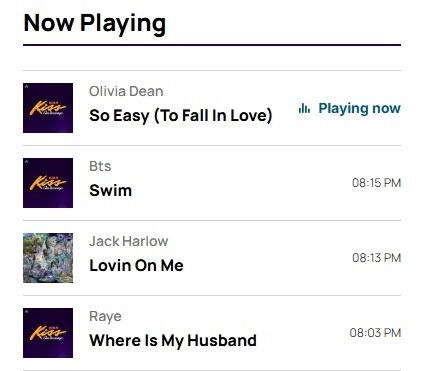
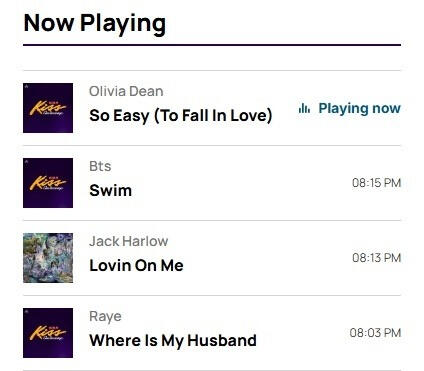
As of this moment, there isn't a way to set alerts on requests through the iHeartRadio mobile app. What encourages radio stations to play a song is audience and how much traffic a song can bring to the station. ARMY can check the recently played list and try to join the station when they play SWIM. Even though you request a song, that doesn't guarantee it will play. We need as many people to request multiple times a day as possible. If they don't play SWIM, request it again and again until they do! They will add the song to their rotation if they know demand is high.
STEP ONE:
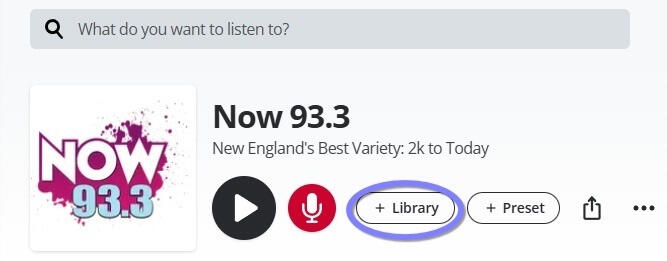
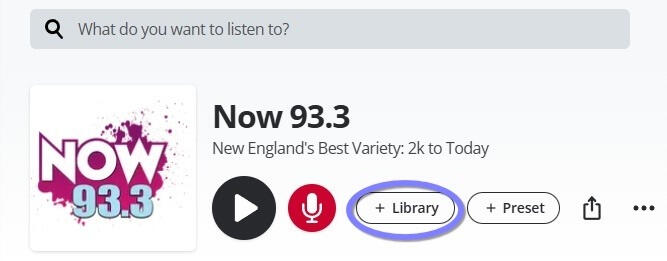
After downloading the app and creating an account, use the Radio Station Guide to link directly to each major radio station in the US' profile on the iHeartRadio app. Save the station in your 'Library' so you can easily access it daily.
STEP TWO:
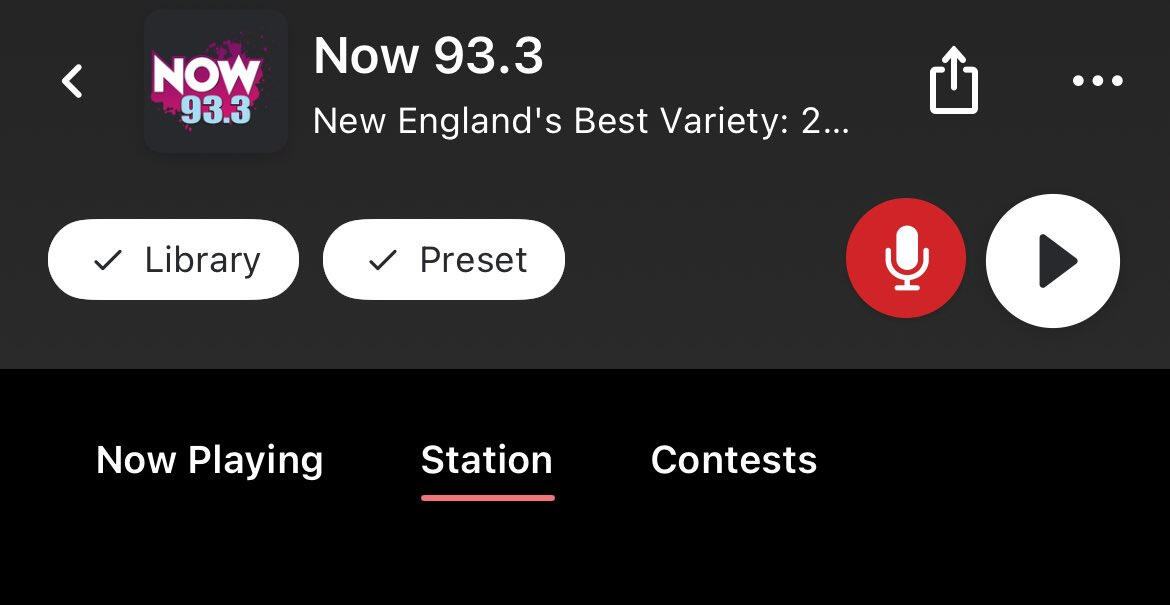
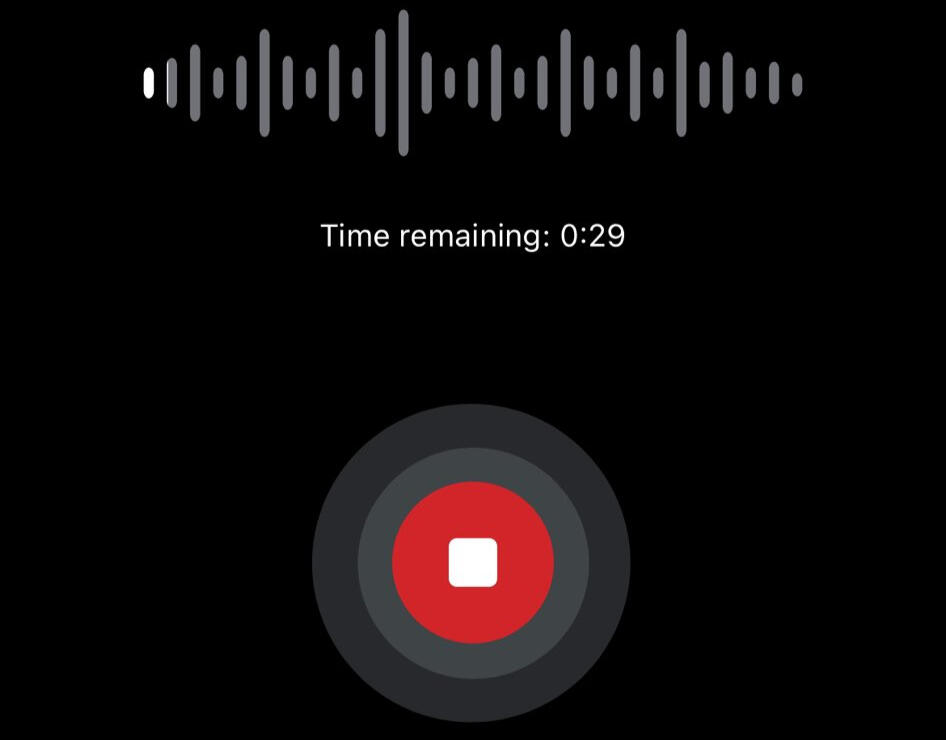
Use the red microphone button to record a request for the station and submit the request. Request the song as many times as you can throughout the day, even if they play SWIM once. The more requests made, the more likely stations will see the demand for the song and add it to their playlist regularly.Your request can be as simple as "Please play SWIM by BTS" don't overthink it!
STEP THREE:
LISTEN TO THE STATION!
Use SHAZAM to capture the song, and then listen while they play SWIM. The hard part is getting the stations to play SWIM. Geffen has officially added SWIM to radio stations around the US to impact plays, but even if they have the song in their library, that doesn't guarantee they will play it. Stations play songs that bring in listeners, try to tune in during SWIM. If stations see an influx of requests and listeners when they play BTS, they will continue to add them to their rotations more times a day. Rinse and Repeat with every station possible!We can do this ARMY!!
WEB DISCLAIMER
Requesting songs through song alerts on the website is different than on mobile and uses a link not connected to the iHeartRadio website. You can still save the radio stations to your Library, but you will need the link to request the song manually by typing the song into the search bar (explained in the steps below).You can come back to this guide to easily access the links to request, but YOU MUST save the station to monitor their Now Playing and tune in to the station when you recieve alerts that they play SWIM.You can access these links through your mobile web app, not just on a computer (safari, google, etc.).Some stations have song alert request forms, but aren't on iHeartRadio- you can still request and set text alerts and tune in on their website on computer or mobile.
STEP ONE:
First, use the Web link on the Radio Guide to save the station in your 'Library' on the iHeartRadio website (if available) so you can monitor their Queue and tune in when they play SWIM.This is also VERY important to do because then you can quickly access the station when they alert you to SWIM coming up in their playlist.
STEP TWO: (if SWIM is available for request)
RETURN TO THE RADIO GUIDE
1. Use the 'Song Alerts' button to access the form to submit SWIM to the radio station.
2. Search BTS SWIM in the search bar under 'Tell Us What To Play'.
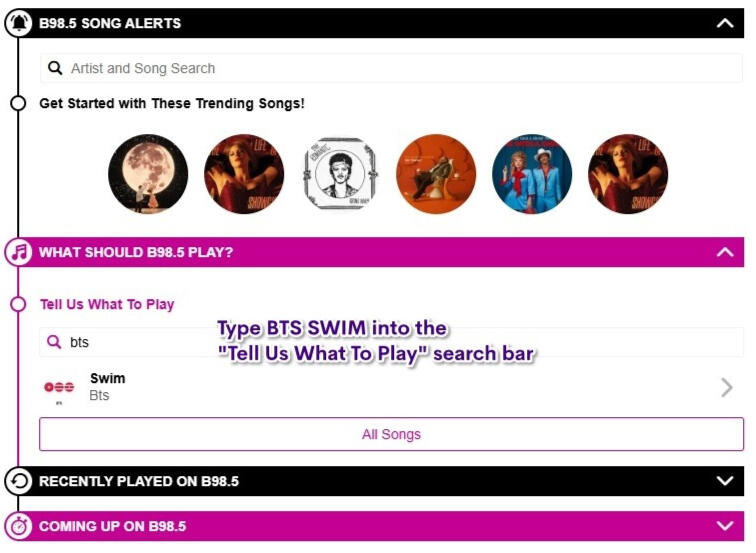
3. Click the arrow ⮞ to access the options. Like the song first.
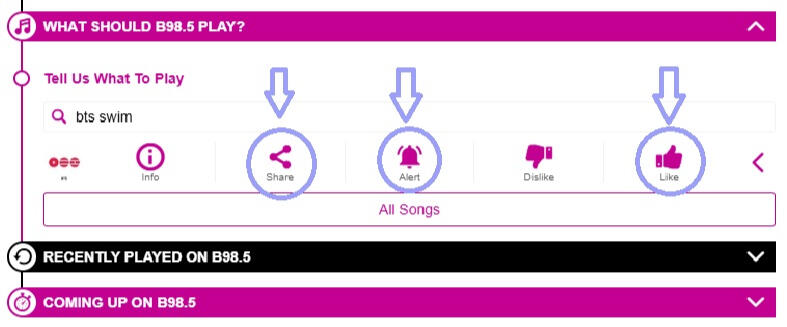
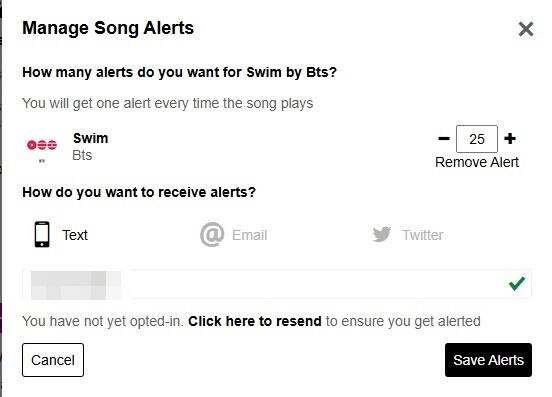
4. Set an alert using text, email, or X handle. I recommend Text for easiest use.
5. Share on X using the share button.
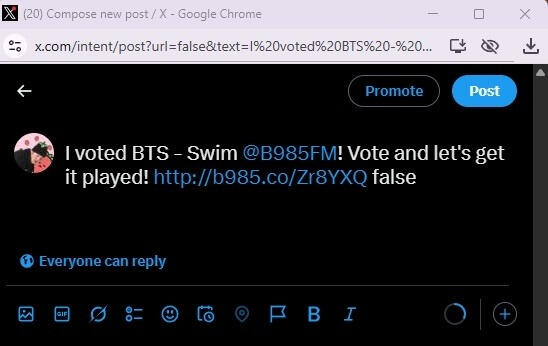
STEP THREE: (if SWIM is available for request)
Set an alert for the song in the 'My Alerts' section, and this will also notify you when the song is coming up next on the radio. then TUNE IN
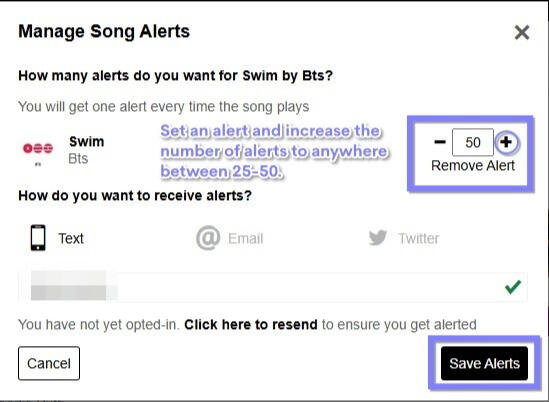
Even though you set an alert while requesting in the previous step, set another alerts to give a push to the song on the radio station. I recommend using text so you can join the app or station immediately.You may not get any alerts because they haven't played the song. This is why requesting multiple times a day is key to success.
STEP TWO: (if SWIM is NOT available for request)
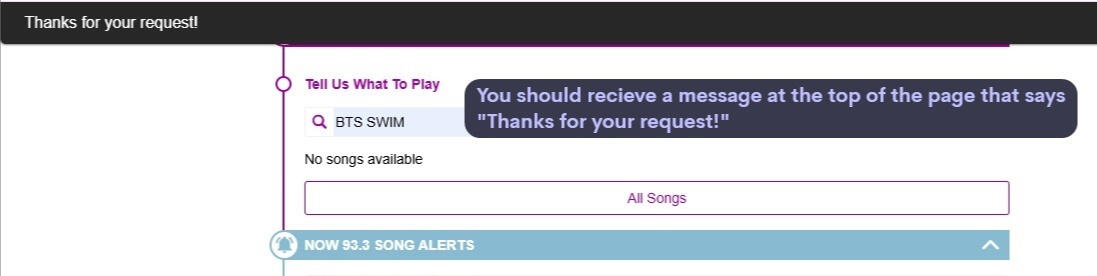
1. Search BTS SWIM in the search bar under 'Tell Us What To Play'.
2. If SWIM is not available, follow the steps below.
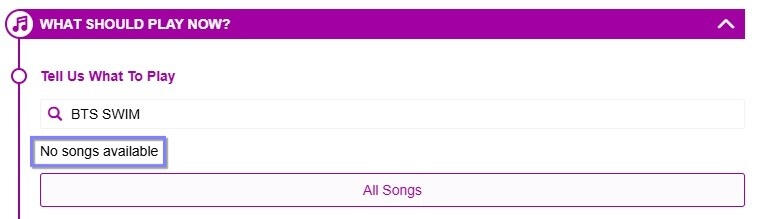
3. Go to "Song Alerts" search bar and type in BTS SWIM.
4. Hit request.
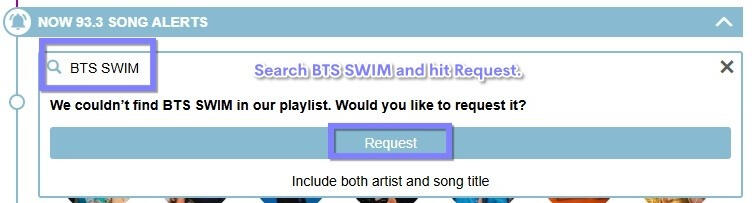
5. There should be a message at the top of the page that says "Thanks for your request!"
6. Repeat multiple times a day, and check back because SWIM might be added to their Library.
STEP FOUR: (if iHeartRadio isn't available)
Not all stations with web song alerts have an iHeartRadio profile, but we can still request the song multiple times a day. Most websites that aren't on the app still have an option to listen to their show through their website. This is an option ARMY all over the world can participate in!
If you recieve an alert, you can try to tune in on their website through your browser to add to their viewship and encourage them to play SWIM more.
STEP FOUR: (for both options)
LISTEN TO THE STATION!
If a station plays SWIM, record a message on the iHeartRadio app thanking them then request again throughout the day! Use SHAZAM to capture the song, and then listen while they play SWIM.
The hard part is getting the stations to play SWIM. Geffen has officially added SWIM to radio stations around the US to impact plays, but even if they have the song in their library, that doesn't guarantee they will play it. Stations play songs that bring in listeners, try to tune in during SWIM. If stations see an influx of requests and listeners when they play BTS, they will continue to add them to their rotations more times a day. Rinse and Repeat with every station possible!We can do this ARMY!!
VIDEO WALKTHROUGH
I recorded two video tutorials for both when SWIM is available and when it isn't that you can watch at the Google Drive link below!